Power BI training course - the 2-day Masterclass that makes you genuinely productive
A live, hands-on Power BI training course delivered via Microsoft Teams, UK-wide. Taught by a trainer who has led Power BI training for a FTSE 100 company. Small groups, real datasets.
- 2-day live course on Microsoft Teams - next cohort Mon 21 – Tue 22 September 2026
- 9:00am to 5:00pm UK time, plus an open drop-in session each evening
- £600 + VAT per person - certificate included
- Small groups, suitable for all skill levels


What you'll be able to do
By the end of the two days you won't just understand Power BI, you'll have built real solutions with it. You'll leave able to:
Connect to any data source
Pull data from Excel, SQL databases, cloud services and APIs, and bring it all together in one place.
Transform messy data
Clean, shape and prepare data for analysis with Power Query, turning chaos into something you can trust.
Build professional dashboards
Create interactive reports that tell a clear data story and stand up in front of stakeholders.
Write calculations with DAX
Build measures and KPIs with DAX, including time intelligence, to answer real business questions.
Why choose this Power BI training?
It's intensive, and it's hands-on
We pack in more than most two-day courses. Every topic starts with a demonstration, then you build it yourself on real datasets. No death by PowerPoint, and you finish having created solutions you can use straight away.
You learn from someone who does it for real
Your trainer has led Power BI training across an entire FTSE 100 company and uses Power BI to solve real business problems every day. You're learning the platform the right way, from a genuine practitioner.
The day doesn't end at 5:00pm
When the taught course finishes, the trainer stays for an open, optional drop-in session. Bring a real problem from your own work, revisit anything you want to go over again, or ask where to find the best resources. It runs as long as people need it.
Who it's for
Business analysts
Turn raw data into clear insights that support better decisions.
Managers and directors
Get a clear view of performance and make decisions with confidence.
Finance professionals
Automate reports and build live dashboards that update as the data changes.
Anyone keen to learn
New to Power BI or self-taught? If you're ready to practise, you're welcome. No prior experience required.
Dates, pricing and booking
Every cohort runs live online from 9:00am to 5:00pm UK time across two consecutive days, followed by the optional drop-in session.
What our Power BI clients say
Verified reviews from course attendees and Power BI clients we've worked with.
- Attendees praise the instructor's clear, supportive teaching and deep subject knowledge, bridging theory and practical business scenarios.
- Course is practical and hands-on, with lab exercises that enable delegates to build real dashboards and implement solutions straightaway.
- Curriculum covers end-to-end Power BI workflow: data transformation, star schema design, data modelling, DAX and visual design principles.
Great Power BI training course. The content was clear and easy to follow, and the instructor provided helpful support throughout the course. I gained valuable knowledge and had a positive learning experience.

Great Power BI training course. The modules and support from the course leader were very helpful and well delivered. I really enjoyed the experience.
Thanks Red Eagle Tech for helping me to upskill on Power BI. This masterclass exceeded my expectations. The curriculum is thoughtfully structured, with a good introduction of the solution from end-to-end, followed by a deeper dive through data modelling fundamentals, sophisticated DAX calculations and visual design principles. The instructor bridges theory and practice and you will learn the concepts by working through genuine business scenarios in the practical lab sessions. I have since recommended this training to colleagues as it’s a genuinely worthwhile professional development investment.
Really good training course, thanks Red Eagle Tech. I learned loads about data transformation, creating proper relationships between tables and transforming the data into a star schema, which makes it so much easier to create data visualisations that really work well for my projects. The training is top notch – can’t recommend enough.
As a busy Operations Director I needed to get a handle on our data across multiple sites. The Power BI Masterclass was exactly what I needed – practical, business-focused, and no unnecessary padding. I built my first dashboard immediately after the course and my colleagues and I are extremely happy with the results. Worth every penny.
Good solid training. Comprehensive coverage of Power BI capabilities and the trainer clearly knew the subject inside out. I learned a great deal and have implemented several dashboards at my firm. The practical exercises are a big part of this course – it’s really hands on. I learned a lot. Would definitely recommend as an intensive introduction to Power BI. Even if you haven’t used it before, you can come away from this course being able to build real working solutions.
Your Power BI trainer
You'll be taught by a genuine Power BI specialist, not a generalist reading from a script.
Your trainer has led Power BI training across an entire FTSE 100 company, teaching hundreds of analysts and business users who went on to deliver production reporting solutions. They have worked with Power BI since before the Microsoft certification for it even existed, and they still use it to solve real business problems every week.
You're learning from someone who does this work for real, is genuinely passionate about it, and stays behind after class to make sure you get what you came for.
Why learn with Red Eagle Tech?

A recognised Power BI and data team
Clutch named Red Eagle Tech a Top Power BI & Data Solutions Company in London for 2026. We're a London-based UK Microsoft Partner serving teams across the country - our Power BI training is delivered live online via Microsoft Teams, so you can join from anywhere in the UK.
Our trainers are working business intelligence engineers. We've delivered training to staff at FTSE 100 companies and trained 200+ people in both engineering and business roles, many of whom have gone on to build production solutions managing multi-million pound lines of business.
200+
Professionals trained
FTSE 100
Enterprise clients
Microsoft
Certified Partner
What this Power BI training course covers
Seven modules across two days. Day one covers the foundations and data preparation; day two moves into advanced calculations, interactive reports and deployment. Every module starts with a demonstration, then you do it yourself.

Getting started with Power BI
We start with a big-picture understanding of Power BI and a high-speed run through the end-to-end workflow: importing data, creating reports and a dashboard, and sharing it with a colleague.
- Power BI ecosystem overview
- End-to-end workflow demonstration
- Basic report creation
- Sharing and collaboration basics
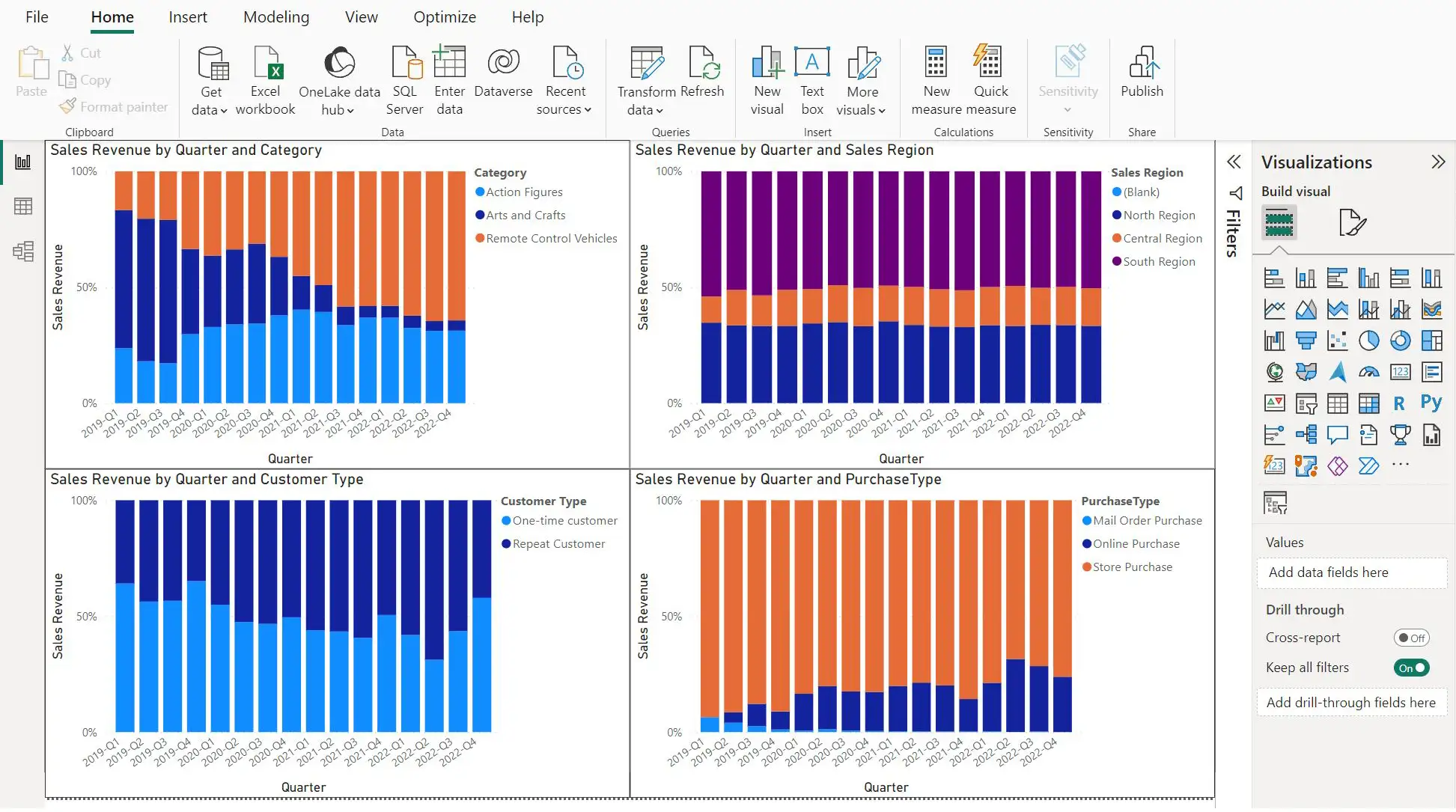
Power BI Desktop
Power BI Desktop is where self-service reports are built. We import data using the Query Editor, create a dataset, and model the data to make it better suited for analysis.
- Query Editor fundamentals
- Dataset creation
- Data modelling basics
- Report design principles
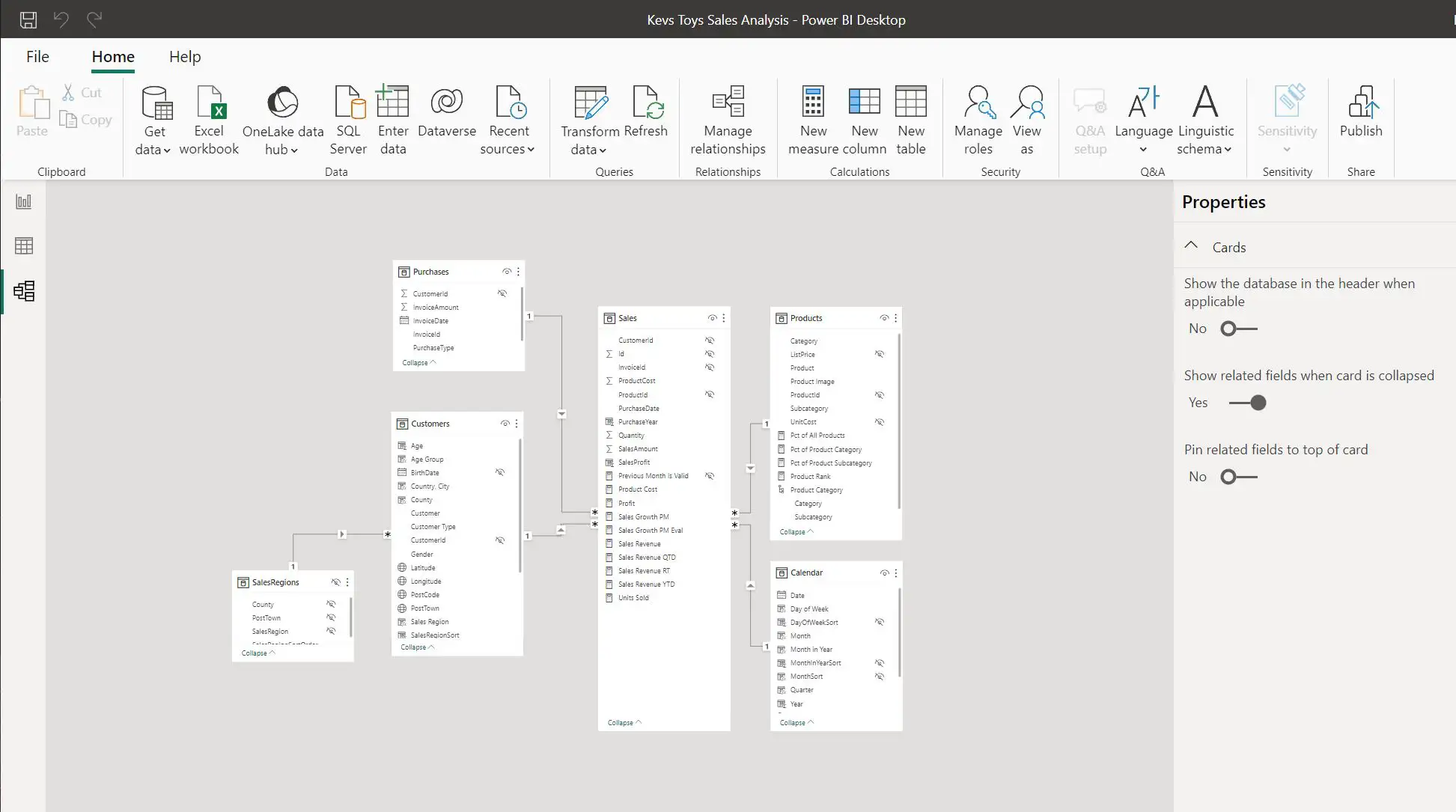
Extract and transform data using queries
Everything starts with bringing in the data you need. We work with the Power Query features of Power BI Desktop to extract data from sources such as Azure cloud storage and transform it into meaningful information.
- Power Query M language
- Data source connections
- Data transformation techniques
- Azure integration
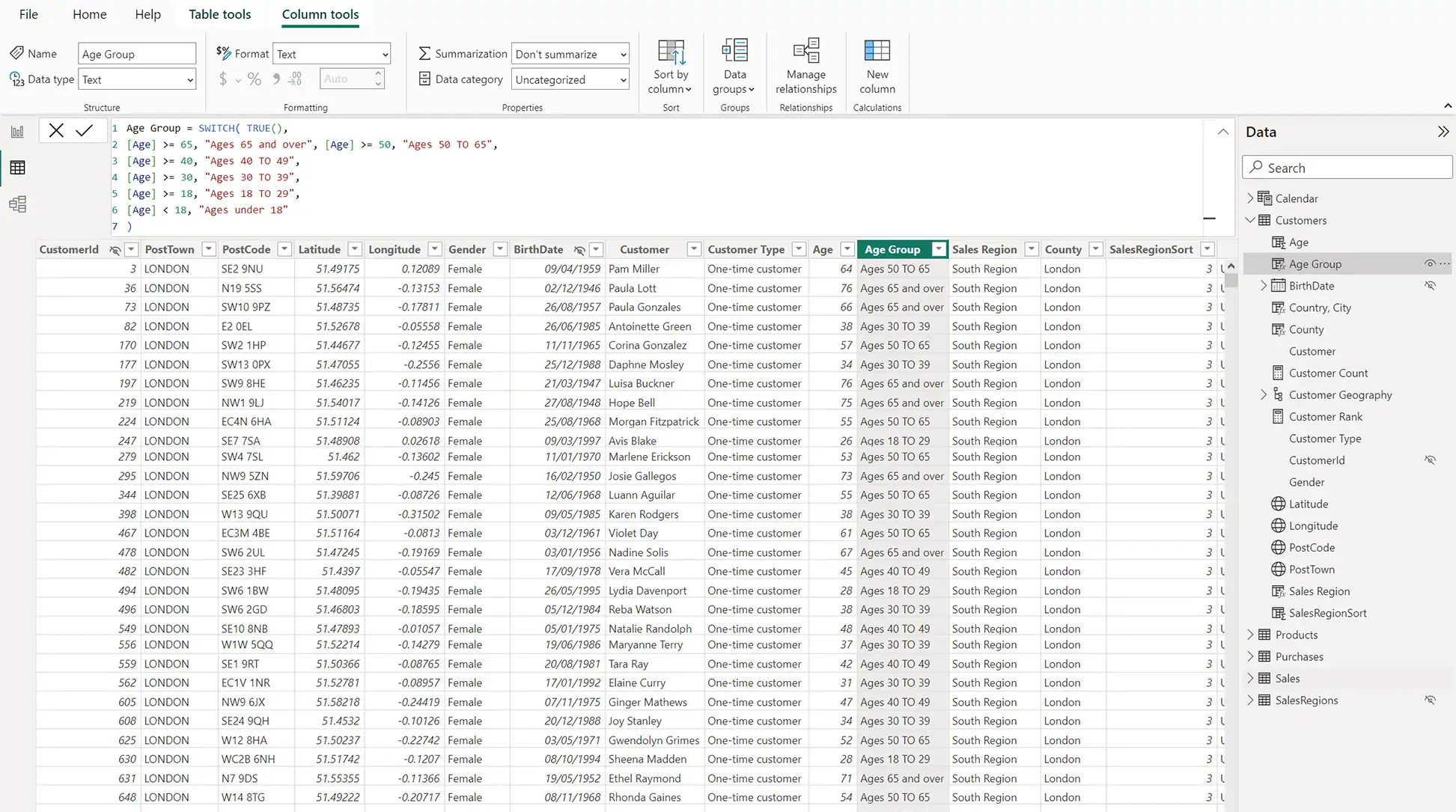
Creating user-friendly data models
The data model is what really makes a report work. We use Data Analysis Expressions (DAX) to create dynamic measures that update in real time as you interact with the report.
- DAX fundamentals
- Creating calculated columns
- Building measures
- Real-time calculations
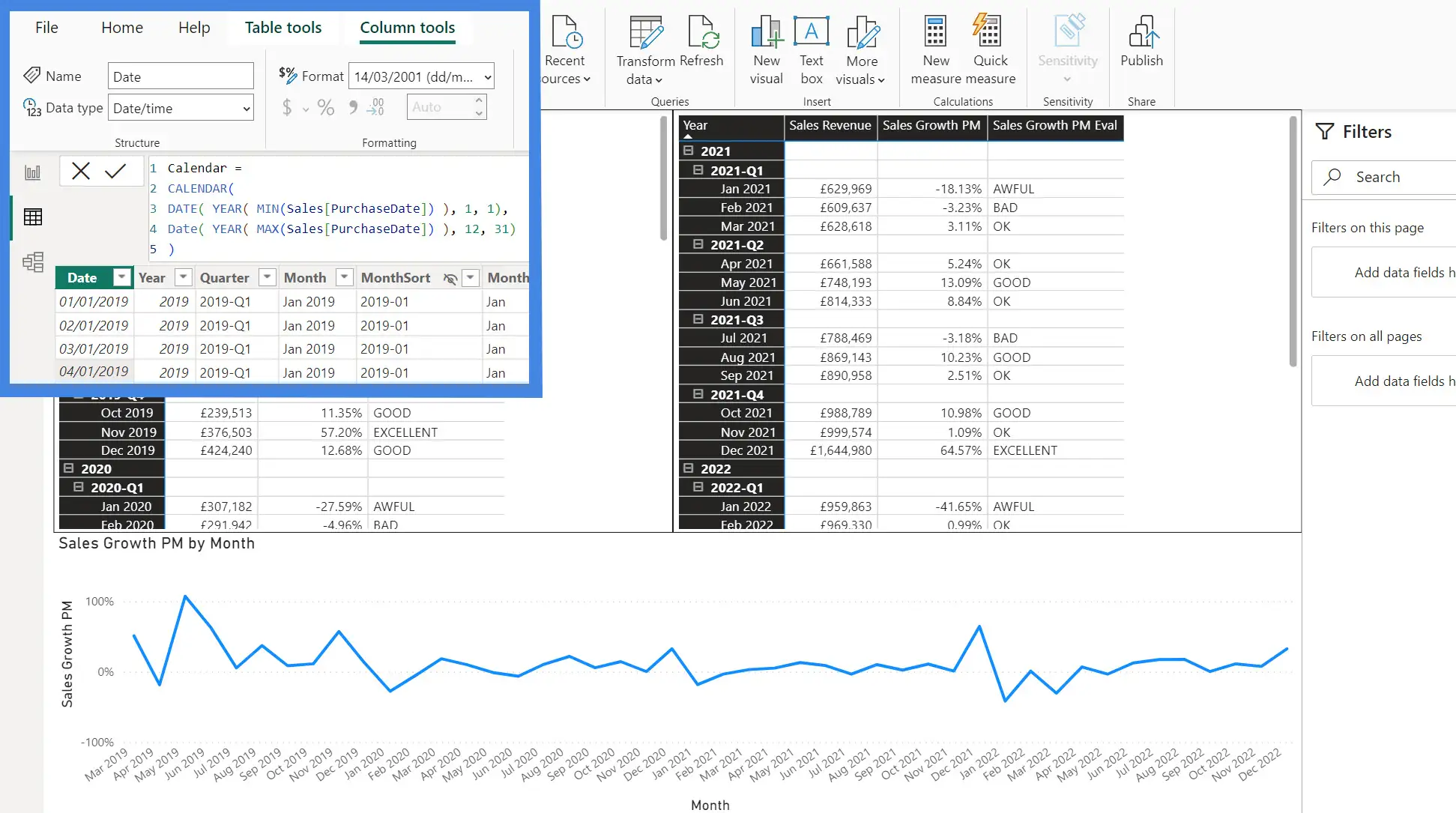
Modelling with time series and hierarchies
The most valuable business insights often come from slicing data into relevant categories and hierarchies. We also use a calendar table to produce time-based financial analysis with the DAX time intelligence functions.
- Creating hierarchies
- Calendar tables
- Time intelligence functions
- Financial analysis
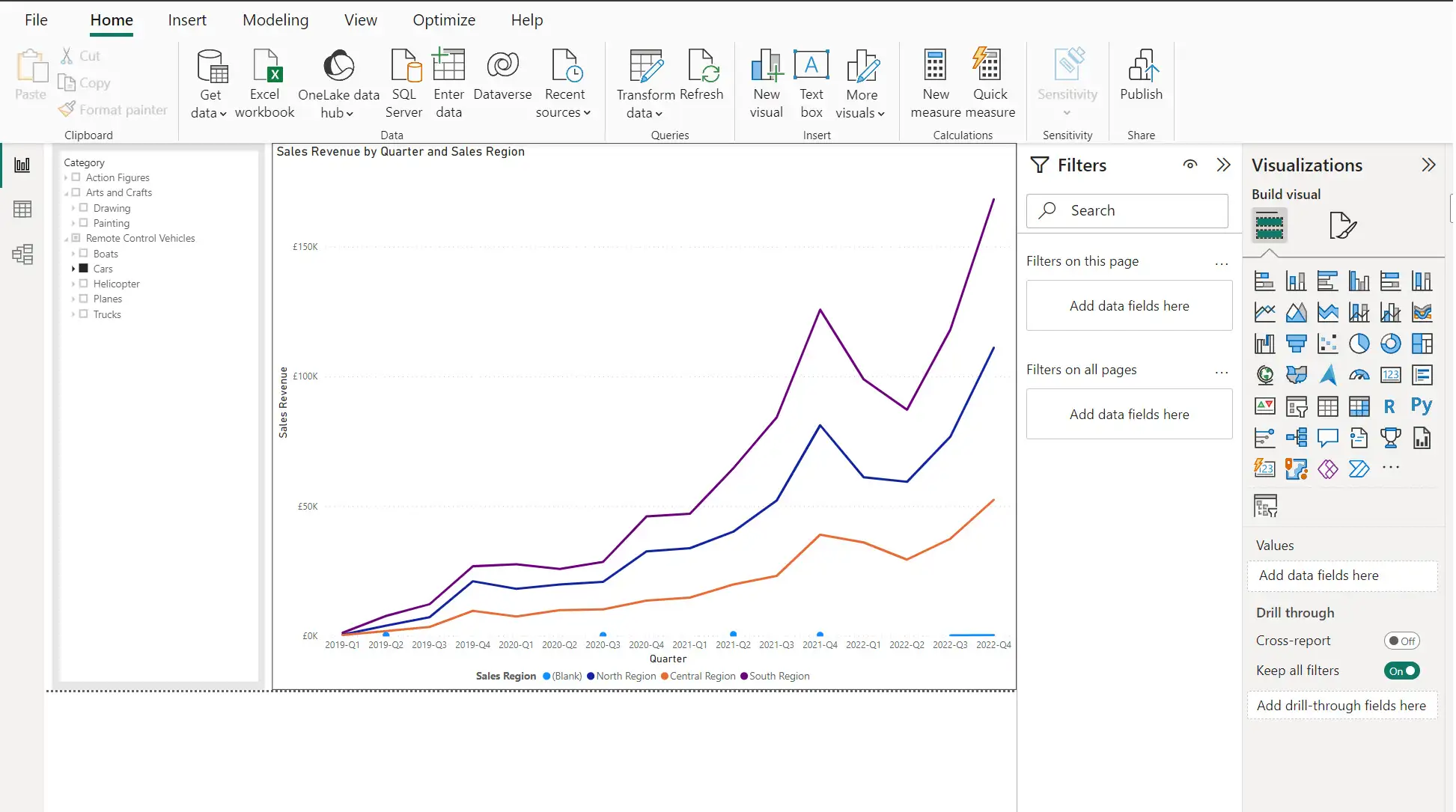
Designing interactive reports
How quickly data turns into actionable insight depends on how well it's presented. We focus on report design, including custom visuals from the App Store and setting permissions with row-level security.
- Report design best practices
- Custom visuals
- Interactive features
- Row-level security
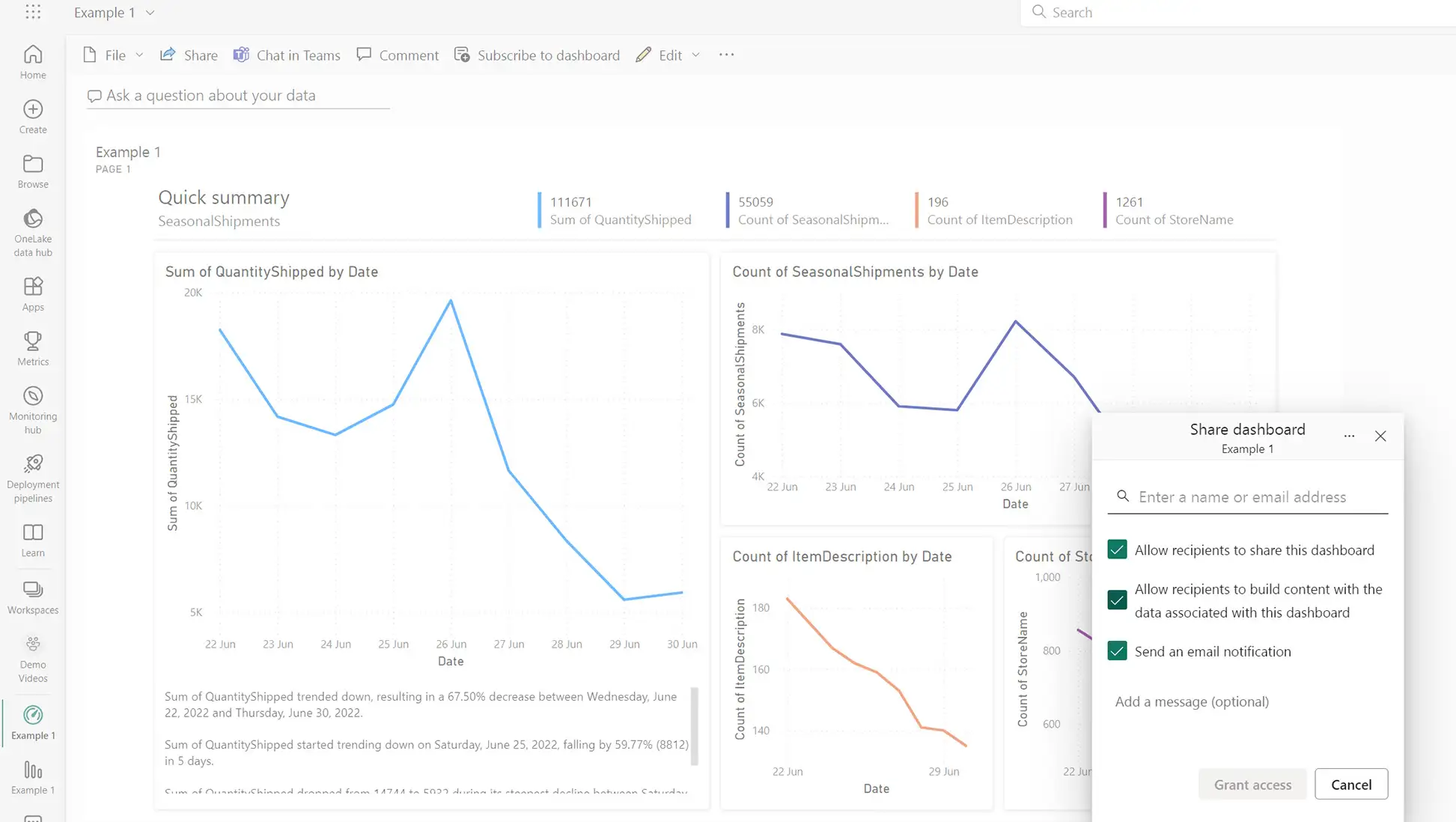
Creating and deploying solutions
We create and deploy a packaged solution to an audience of business users in a Microsoft 365 environment, and build a dashboard that consolidates the most important information from several reports.
- Solution packaging
- Microsoft 365 deployment
- Dashboard creation
- Report consolidation
Certification and CPD
Working towards PL-300?
The course is aligned to the Microsoft PL-300 (Power BI Data Analyst) syllabus and covers the vast majority of it. We're honest about this: it is a practical, skills-first course, not an exam cram, so we don't claim 100% coverage of every exam objective.
What it does give you is a strong, hands-on foundation across the syllabus, which is exactly what shortens your preparation if you go on to sit the exam. If certification is your goal, our UK guide to the PL-300 certification walks through the exam, the cost and how to book it.
CPD-eligible learning
The course provides around 13 hours of structured professional learning, which you can record as Continuing Professional Development with your professional body, subject to its rules.
To record it as CPD: keep your certificate of completion and the course outline as evidence, log the date, provider and hours, and write a short reflection on how you've applied what you learned.
The course is not yet formally CPD accredited, although we are pursuing accreditation. Acceptance and the number of hours you can claim depend on your own professional body.
We don't do boring
Forget stuffy lectures and snooze-inducing slides. This is Power BI training that keeps you engaged and actually remembering what you've learned.

Real problems, real solutions
You tackle real-world scenarios and hands-on exercises at every stage. By the time you leave, you've built solutions you can use the moment you're back at your desk.

Meet your winged guide
Meldrick pops up with insider tips, warns you about common pitfalls, and shares the shortcuts that make you look like a genius. Together you'll nail every exercise.

A bit of friendly competition
Between exercises we fire up our Kahoot quizzes. Speed matters, accuracy counts, and bragging rights are included. Can you claim the top spot?
Frequently asked questions
Training a team?
Our corporate format brings the Masterclass to your whole team, tailored to how you actually work.
- Delivered online or at your location
- Tailored to your data and your industry
- Flexible dates to suit your schedule
- 60 days of post-course support
- Follow-up sessions available
Let's build a plan for your team
Tell us your team size and what you want them to be able to do, and we'll put together a custom proposal.
Talk to us about team trainingNeed more than training?
If you'd prefer us to build your Power BI dashboards for you, or want an expert to work alongside your team, we can help with that too.
Explore our Power BI consulting servicesReady to master Power BI?
Next cohort: Mon 21 – Tue 22 September 2026. Join 200+ professionals who've built real data skills with Red Eagle Tech.
Ready to discuss your project?
Book a free discovery call or send us a message. We'll respond within 2 business hours.
Discovery call
A friendly 15-minute video call with Kat to understand your needs. No preparation needed.
- Discuss your project
- Get honest advice
- No obligation

Kat Korson
Founder & Technical Director
Our team has 10+ years delivering software solutions for growing businesses across the UK.
Send us a message
Your information is secure. See our privacy policy.
Next: Mon 21 – Tue 22 September 2026


Find us


